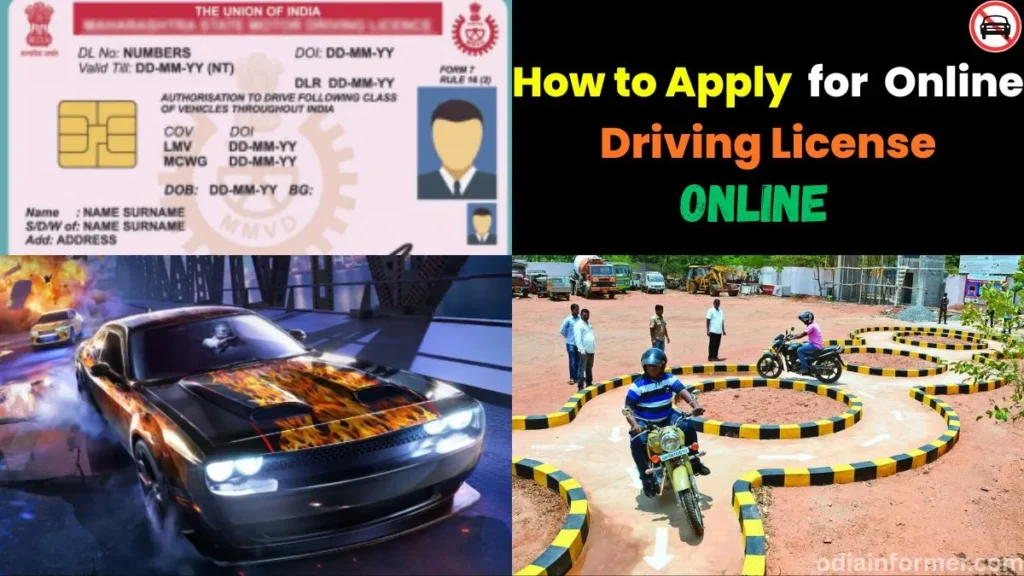
Learn how to apply for driving license online in India in 2026, understand MCWG and LMV categories, and discover how to apply for international driving license in India, Singapore, and Malaysia.
How to Apply for a Driving License Online in India (2026 Guide)
Getting a driving license used to mean multiple RTO visits and long queues. Not anymore. Today’s Parivahan Sewa portal lets you complete most of the process from home.
You can fill your application online, complete Aadhaar e-KYC, take your test digitally, and get your license without visiting an RTO office. Your physical card arrives by post.
This guide covers the complete, updated process for 2026 — including vehicle categories and international permits.
How to Apply for Driving License: The Big Picture
Wondering how to apply for driving license in India? The journey happens in two connected stages, not one single application.
You start with a Learner’s License. You prove basic road knowledge through an online test. Only then do you move to the permanent license.
Previously, how to apply for driving license meant two or three RTO visits — paperwork, learner’s test, and final driving test. That’s changed significantly.
With Aadhaar e-KYC now built into Parivahan, the entire learner’s stage can be completed online. We walk through every step below.
It also helps to know your vehicle category upfront. India issues licenses across classes like MCWG and LMV, explained in detail further down.
Learner’s License vs. Permanent License
If this is your first application, you can’t jump straight to a permanent license. There are two required stages.
Stage 1: Learner’s License (LL) — Your starting point. It’s typically valid for around 6 months from issue date.
Stage 2: Permanent Driving License (DL) — Applied for using your LL number, usually after a mandatory waiting period.
This article focuses on Stage 1: applying for and receiving your Learner’s License entirely online.
Step 1: Visit the Official Portal
Open your browser and search for parivahan.gov.in. This is India’s official portal for vehicle and licensing services.
It’s run by the Ministry of Road Transport and Highways. Always verify you’re on the genuine government domain before entering personal details.
Step 2: Navigate to Driving/Learning License
On the homepage, scroll down and click “Driver/Learning License.” A popup will explain that most RTO services are now online.
Close this popup. Next, select your state from the dropdown menu to load state-specific application options.
Step 3: Choose “Apply for Learner’s Licence”
You’ll see two options: Apply for Learner’s Licence, or Apply for Driving Licence. First-timers should select the learner’s option.
Click Continue, then choose “New Learner Licence” on the next screen. Submit to proceed to the verification step.
Step 4: Choose Aadhaar Authentication
You’ll see two verification paths. Submit via Aadhaar Authentication lets you finish everything — including the test — from home.
Submit without Aadhaar Authentication requires an RTO visit. For a fully remote process, always choose Aadhaar authentication.
Completing Aadhaar e-KYC
Enter your 12-digit Aadhaar number and click Generate OTP. You’ll receive a one-time password on your linked mobile number.
Enter the OTP, check the consent checkbox, and click Authenticate. Your basic details will auto-fill from Aadhaar records instantly.
This saves significant time. You won’t need to manually type your name, date of birth, or address — the system pulls it directly.
Step 5: Select Your RTO and Complete the Form
Click Proceed after authentication. Select your relevant RTO office — some regions list more than one nearby option.
Most fields auto-populate from Aadhaar. A few sections still need manual input, covered below.
Relation & Guardian’s Name: Some Aadhaar records skip the father’s name. If blank, select the relation and type the name manually.
Place and Country of Birth: Enter your birthplace and select India as country of birth from the dropdown list.
Education, Blood Group, Contact Details: Choose your qualification level, blood group (or “Unknown”), and enter your email and Aadhaar-linked mobile number.
Emergency Contact: Add a second family number if available. A single mobile number also works fine here.
Identification Mark: Optional field for permanent marks like moles or scars. You can leave this blank if you prefer.
Address Details: Your Aadhaar address auto-fills, but Tehsil and urban/rural classification may need manual selection.
Note: Aadhaar-based applications can’t change your address. Both present and permanent addresses must match your Aadhaar record exactly.
Use “Same as Present Address” to auto-copy your permanent address. Then enter how long you’ve lived at this address.
Step 6: Select Your Vehicle Category
This section decides what you’re legally allowed to drive. Choose carefully — this selection carries forward to your permanent license.
- MCWG (Motorcycle With Gear) — geared bikes and motorcycles
- MCWOG (Motorcycle Without Gear) — scooters only
- LMV (Light Motor Vehicle) — cars and small vehicles
Click your category, then use the arrow button to move it into “Selected.” Use the back button to undo a mistake.
What Does MCWG Mean in a Driving License?
MCWG in a driving license stands for Motorcycle With Gear. It permits riding geared two-wheelers requiring manual clutch and gear shifts.
If you ride or plan to buy a geared bike, selecting MCWG is essential. You can’t legally ride one without this category.
MCWG differs from MCWOG, which only covers scooters. Many applicants select both together, since adding a category later means a separate process.
Riding a geared motorcycle without MCWG endorsement can be treated as driving without a valid license — even if you hold another category.
What Does LMV Mean in a Driving License?
LMV in a driving license stands for Light Motor Vehicle. Most car owners select this category for personal, non-commercial driving.
It covers hatchbacks, sedans, SUVs, and similar passenger vehicles under a specified weight limit. If you’re learning to drive a car, you need LMV.
Standard LMV covers personal use only. Commercial driving — like cab aggregator work — needs additional training and a separate transport endorsement.
Your LMV selection carries into your permanent license. If you drive both a car and a geared bike, select MCWG and LMV together.
Step 7: Declarations
Next, answer standard eligibility questions. Has your license ever been cancelled? Most first-time applicants will answer “No” here.
Did you train at a registered driving school? If yes, enter your enrollment number. Self-taught applicants can skip this field.
Step 8: Medical & Vision Declaration
This section asks about distance judgment, color perception, and night blindness. Answer honestly — most questions are typically answered “No.”
You’ll also see an organ donation question (optional) and whether your Aadhaar photo is recent enough to use directly.
Accept the declaration and enter the CAPTCHA. Submit to receive your application reference number — save this immediately for later use.
Step 9: Track Your Application Status
After submission, you’ll land on the Application Status page. It shows completed steps and any pending requirements clearly.
Some applicants — often those missing a father’s name on Aadhaar — will see a Document Upload step appear here.
Uploading Supporting Documents
Common documents include proof of relationship, or any one of: marksheet, certificate, or passport as identity proof.
Enter document details, then upload your file. Keep uploads under 500 KB — compress large files using any free online tool.
Uploading Photo & Signature
If you approved your Aadhaar photo earlier, it’s used automatically. You’ll only need to upload a signature specimen.
Sign on plain white paper using black or blue ink. Crop the signature tightly using your phone’s built-in editor before uploading.
Step 10: Pay the Application Fee
Aadhaar-based KYC eliminates the RTO visit entirely for fee payment and test scheduling. Click Proceed to begin payment.
Standard fees break down as: ₹300 for the LL application, plus ₹50 for the online test — ₹350 total.
Accept the terms, click Pay Now, and choose a gateway. UPI is recommended over credit cards, which often add extra charges.
Scan the QR code using any UPI app to complete payment. Download your receipt afterward for your personal records.
Step 11: Watch the Mandatory Road Safety Video
Before testing, you must watch a Road Safety Tutorial video, roughly 7–8 minutes long, without skipping or fast-forwarding.
Enter the CAPTCHA, generate an OTP, verify it, and select your preferred language. The system tracks watch-time closely.
Once complete, confirm you’ve watched it and submit. Your test login credentials arrive by SMS shortly after.
Step 12: Take the Online Learner’s License Test
From the LL menu, click “Online LL Test Install.” Enter your application number and CAPTCHA to download the test software.
The software currently runs on Windows only — Mac support isn’t available yet. Install it and launch the desktop application.
Enter your date of birth and the department-generated password sent to your phone. Use Resend if you don’t receive it.
Test format: 15 total questions, 30 seconds each. You need 9 correct answers to pass, and the test auto-closes once passed.
Step 13: Download Your Learner’s License
After passing, wait 15–30 minutes and return to the portal. Your license number will already be generated and ready.
Go to “Print Learner Licence” to download your LL as a PDF. Save multiple copies for backup purposes.
Your LL carries a limited validity period, shown as an expiry date. Apply for your permanent license before this date, but not before one month has passed.
While holding an LL, always ride or drive with a licensed companion. Display the ‘L’ sign on your vehicle’s front and rear.
Related Post
- What is IRCTC ID | How to Create IRCTC ID Account | IRCTC Login Registration
- How to Apply for a New Passport Online
- How to Apply for a New PAN Card Online in 2025 Using Aadhaar (Step-by-Step Guide)
Frequently Asked Questions
How to apply for driving license without visiting the RTO? Use Aadhaar-based authentication on the Parivahan portal. It lets you complete the entire learner’s license process from home.
What is the difference between MCWG and LMV? MCWG covers geared motorcycles. LMV covers cars and light passenger vehicles. Select both if you drive both vehicle types.
How to get international driving license in India quickly? Apply online via Sarathi Parivahan with Form 4A, your DL, and passport. Processing typically takes a few working days.
Final Thoughts
The entire Learner’s License process — application, test, and download — now fits into a single sitting at home using Aadhaar authentication.
Keep these items ready: your Aadhaar number, linked mobile, a cropped signature, and ₹350 for fees.
Once your LL is active, the next step is your permanent Driving License using your LL number — a process worth its own dedicated guide.
If you’re also planning international travel, remember the IDP and any required extract of driving license records are separate documents with their own timelines.
This guide reflects the Parivahan Sewa process as of 2026. RTO procedures, fees, and international requirements vary by state and country — always verify current details on official government portals.